Page consistency
Guide editors through a recurring content structure without asking them to assemble every page by hand.
 All work ↗
Product design · Content operations · Internal tool
A publishing workspace that turns detailed botanical content into repeatable plant pages, while giving the team control over what appears across the site.
Each plant page combines taxonomy, imagery, origins, history, facts, a dossier, and search metadata. Editors also need to choose which stories and sections appear across the site. The interface brings those decisions into two clear workspaces.
Guide editors through a recurring content structure without asking them to assemble every page by hand.
Keep global defaults, page-level overrides, and featured stories understandable as the archive grows.
Support drafting, previewing, downloading HTML, and publishing from the same workspace.
The create view organizes a long botanical story into named sections. The site admin view handles shared defaults, per-plant exceptions, homepage visibility, and carousel order.
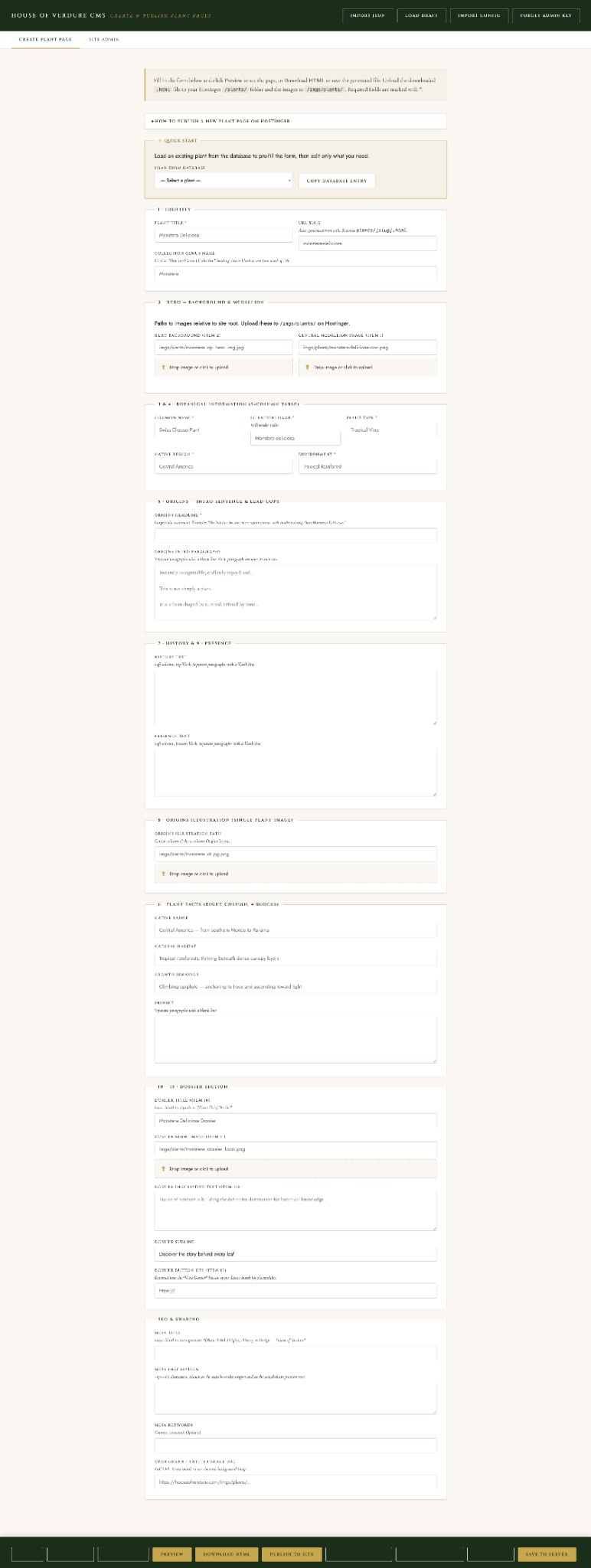
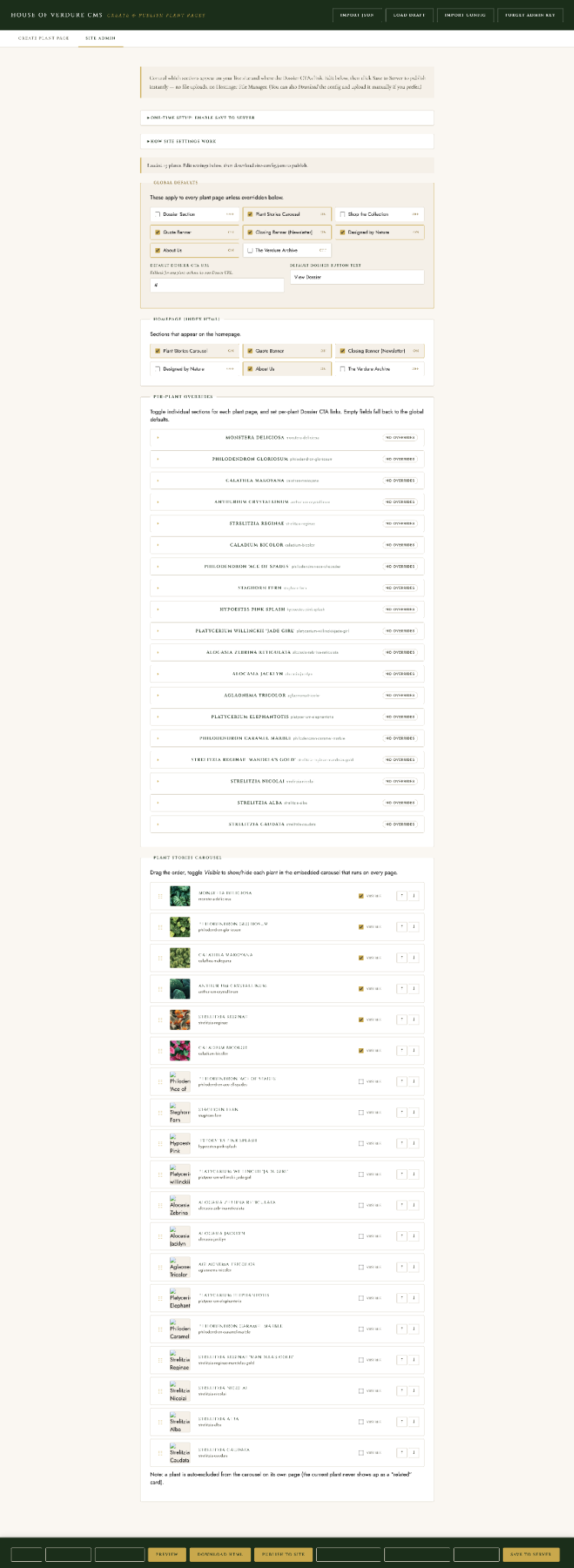
Interface shown in the supplied product screenshots. Open either image to inspect its full length.
Editors can load an existing plant from the database, then change only what that page needs. Import controls provide additional ways to start from prepared content.
Identity, imagery, botanical information, origins, history, illustration, facts, dossier, and SEO each have their own section, with labels and field guidance near the work.
Site admin exposes global section settings first, then per-plant overrides. This keeps routine decisions centralized while allowing individual stories to differ.
Editors can show or hide plant stories in the carousel and reorder them, giving editorial placement a direct control.
Preview, download HTML, publish to site, and save to server appear in the persistent action area at the bottom of the interface.
The screenshots demonstrate the interface and available controls. Usage results have not been supplied, so the next step is to measure how editors use it.